
Moving a large WordPress site (3–10 GB+) from one hosting provider to another can be painful if you download and re-upload everything through your home internet. The smart way is direct server-to-server transfer using SCP — zero files touch your computer.
Here’s the exact step-by-step method that works perfectly between any two Linux-based hosts (Hostinger → IONOS, SiteGround → Contabo, etc.).
What You Need
- SSH access enabled on both old and new hosting
- A Windows computer with PuTTY installed (free)
- The backup ZIP file already created on the old host
Step 1: Confirm SSH Details
Old host (source) example:
Host: 203.0.113.50 | Port: 65002 | User: u1234545876789
New host (destination) example:
Host: access-123456789.webspace-host.com | Port: 22 | User: a987654543
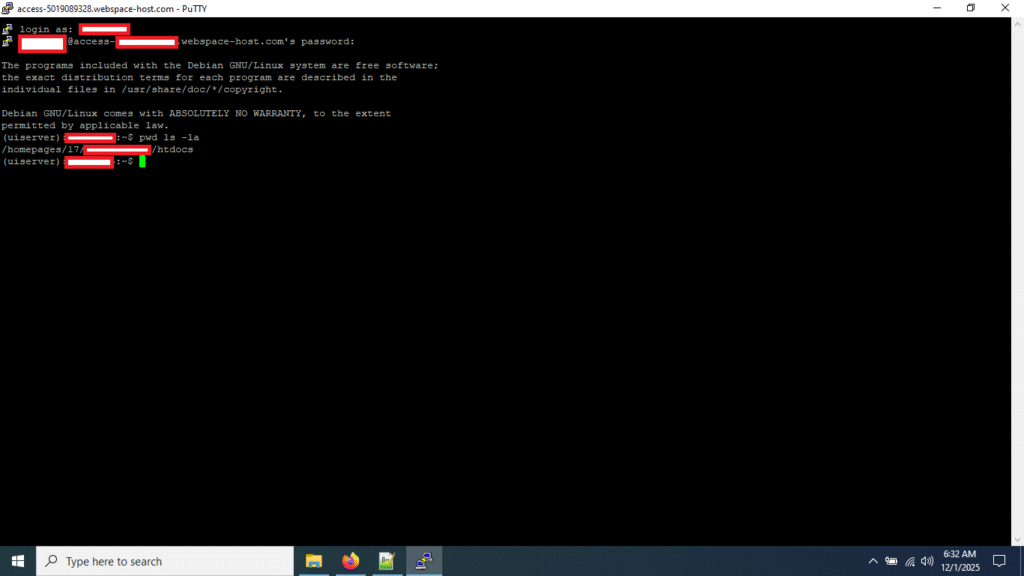
Step 2: Find the Exact Web Root Path on the New Host (Critical!)
Many hosts (especially IONOS/1&1) place public_html inside a long path like /homepages/19/d12345678/htdocs/
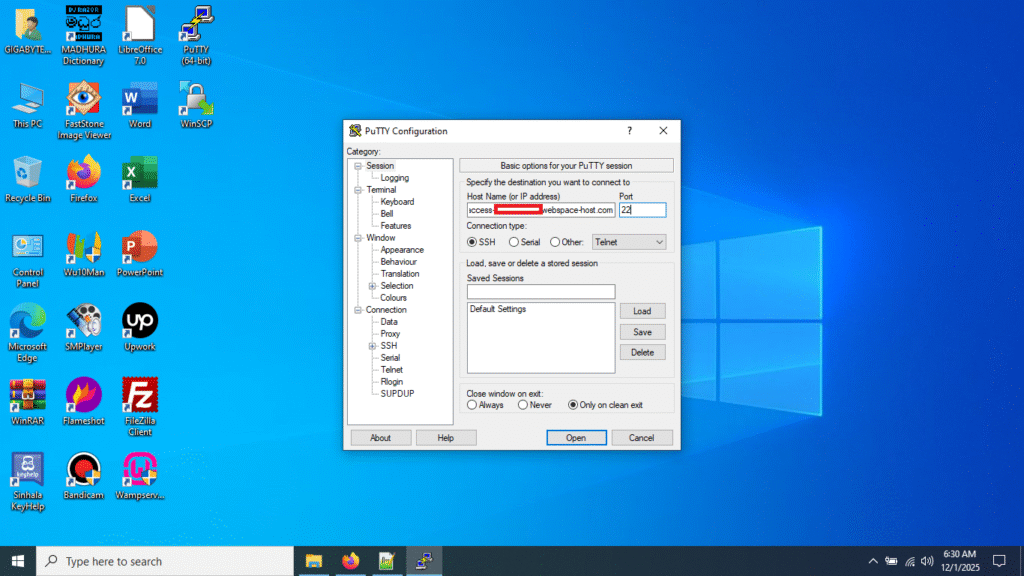
- Open PuTTY → connect to the new host
- Login with your SSH username/password
- Run these two commands:
pwd
ls -la
Step 3: Transfer the File Directly (Server-to-Server)
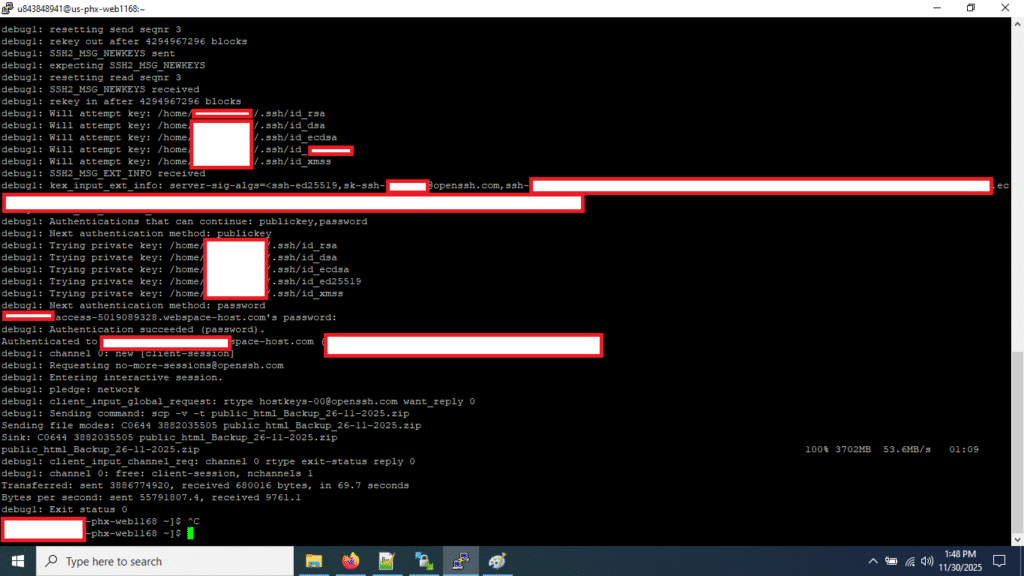
On the old host, run this single command (replace paths with your own):
scp -v -P 65002 -o Port=22 /home/u123456789/domains/example.com/public_html/backup_2025.zip a9876543@access-123456789.webspace-host.com:wp_backup_2025.zip
Explanation:
-P 65002→ source port (old host)-o Port=22→ destination port (new host)- Last part without any folder → drops the file directly into your web root
You’ll see live progress:
wp_backup_2025.zip 47% 1728MB 8.2MB/s 00:38 ETA
A 3.7 GB file took only 69 seconds in real tests!
Step 4: Verify & Extract
Login to the new host via SSH or File Manager and extract:
unzip wp_backup_2025.zip -d /homepages/19/d12345678/htdocs/
Then import your database (separate tutorial coming soon).
Bonus Tips
- Use
rsyncinstead ofscpfor resumable transfers: add--partial --progress - Always change SSH passwords after testing
- Disable SSH access again if your host allows it for extra security
That’s it — no 8-hour uploads, no split archives, no local disk space needed.
You just migrated a full WordPress site in minutes instead of hours.
Happy migrating! 🚀
— K Dinesh Kumara
Facing the same WordPress migration headache?
Let us handle it for you — fast, secure, and with zero downtime.
Contact Us Now – Visit pcworld.lk
Our team is ready to migrate your site smoothly and professionally.

Leave a Reply